
DHCP & DNS gateway
Start with selected-device bypass routing, take over LAN DHCP when you are ready, or serve an isolated downstream network.
Explore gateway modesOpen source · macOS 13+
OpenSurge is a Surge-style macOS gateway and control plane powered by mihomo. Route phones, TVs, consoles, and other devices through one observable, recoverable network path.
Open source · GitHub · Apple Silicon and Intel
NETWORK CONTROL, NOT APP SETTINGS
Devices such as game consoles and TVs cannot run the same proxy client as a Mac. OpenSurge moves routing policy to the Mac gateway so downstream devices use ordinary IP networking.
Start with selected-device bypass routing, take over LAN DHCP when you are ready, or serve an isolated downstream network.
Explore gateway modesGive a phone, TV, PS5, or VR headset a dedicated selector while keeping local and private traffic direct.
See device policyImport compatible proxies and rules while OpenSurge retains ownership of gateway-critical DNS, TUN, and recovery state.
Understand the architectureSTART SMALL, SCALE DELIBERATELY
The setup changes with the network you actually control. All three topologies start with IPv4 and can optionally enable experimental IPv6 takeover. OpenSurge explains the operational impact before it changes DHCP, routes, or advertisements.
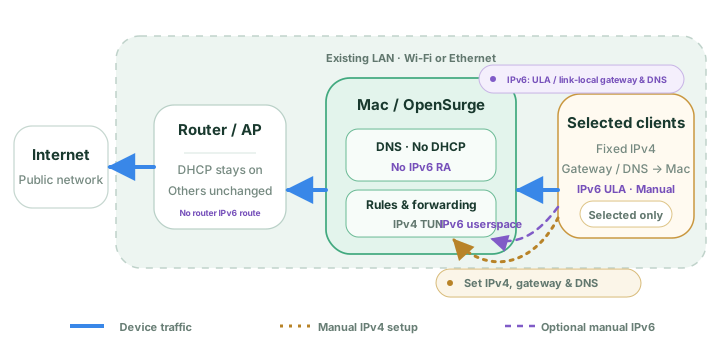
Keep router DHCP. Manually point selected stable devices at the Mac.
Optional IPv6 takeover
Read the setup guide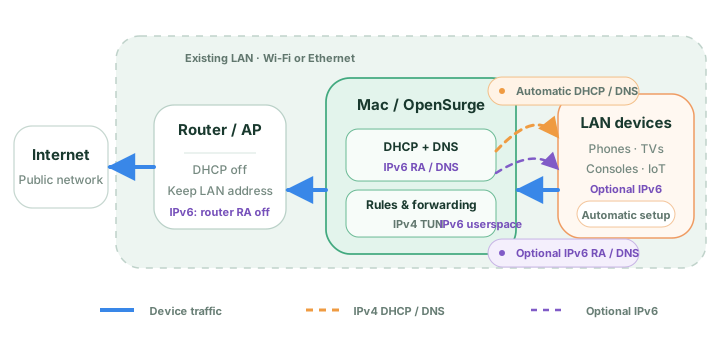
Disable router DHCP and let OpenSurge provide device network settings.
Optional IPv6 takeover
Read the setup guide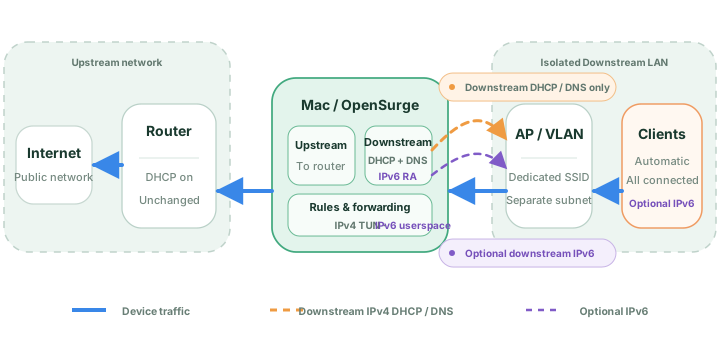
Use a separate AP, SSID, VLAN, or interface behind the Mac.
Optional IPv6 takeover
Read the setup guideTHE CONTROL PLANE, IN CONTEXT
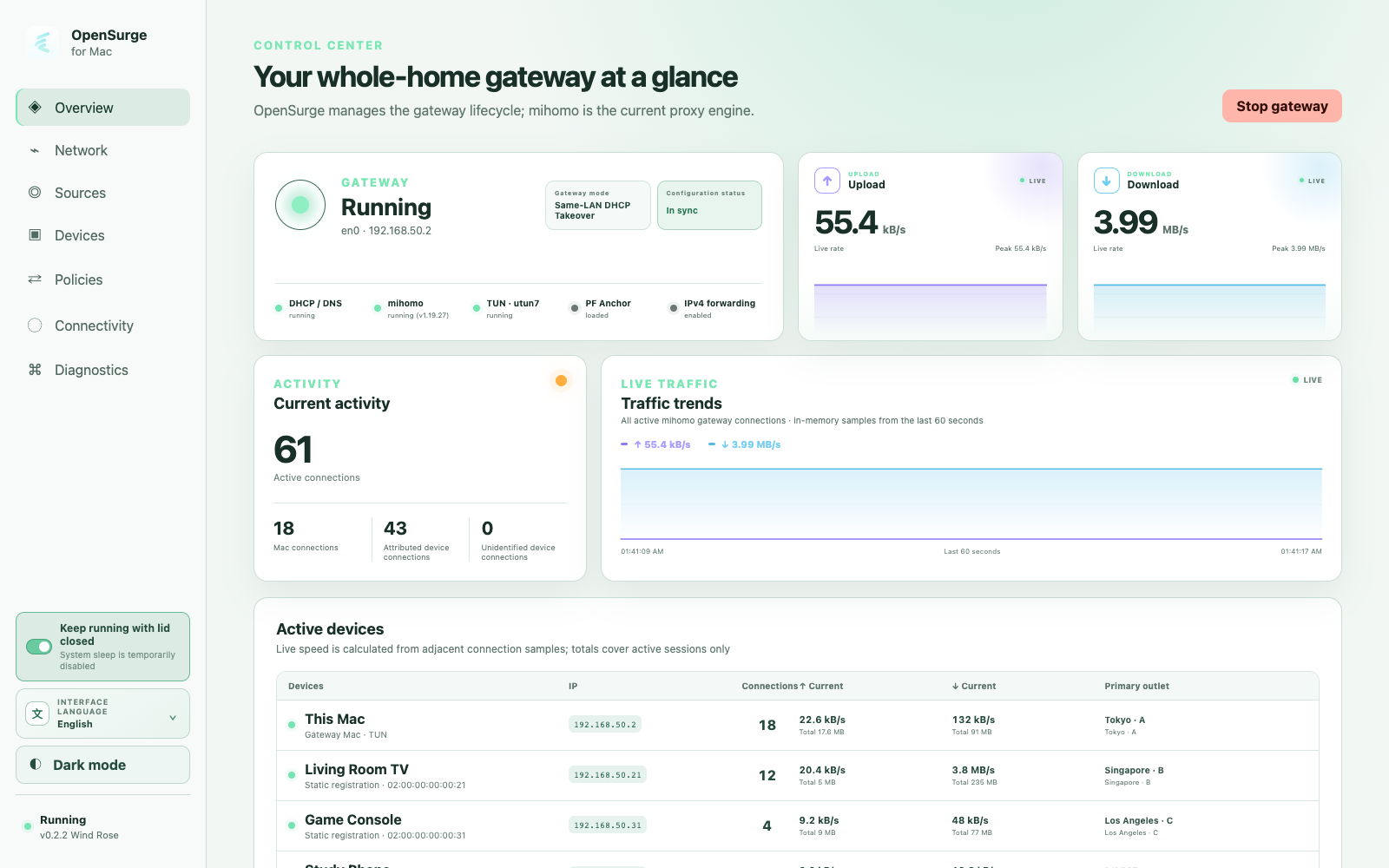
The Web GUI keeps topology, sources, policy health, route evidence, and diagnostics in one inspectable workflow.
Screenshots use isolated fictional demo data.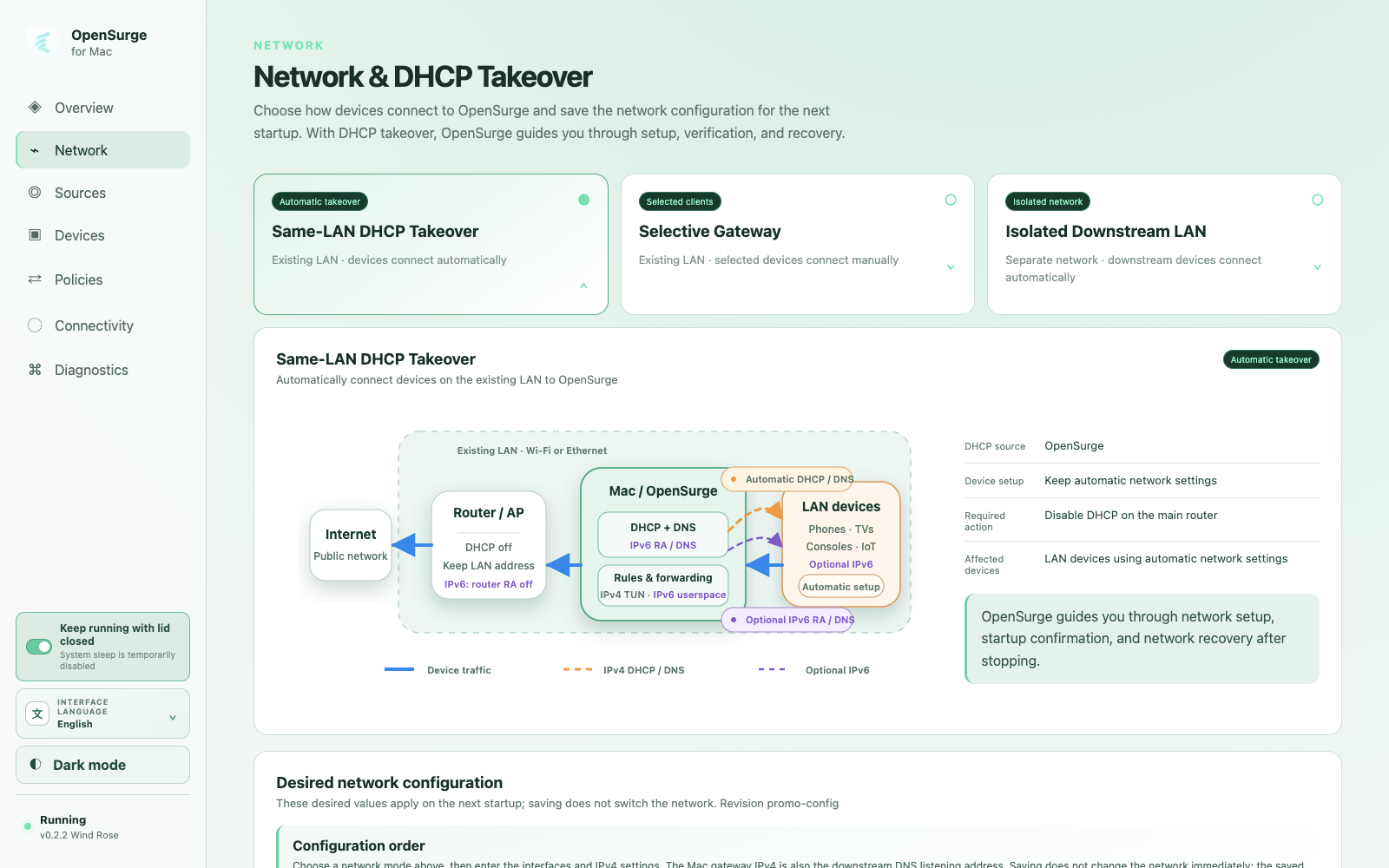
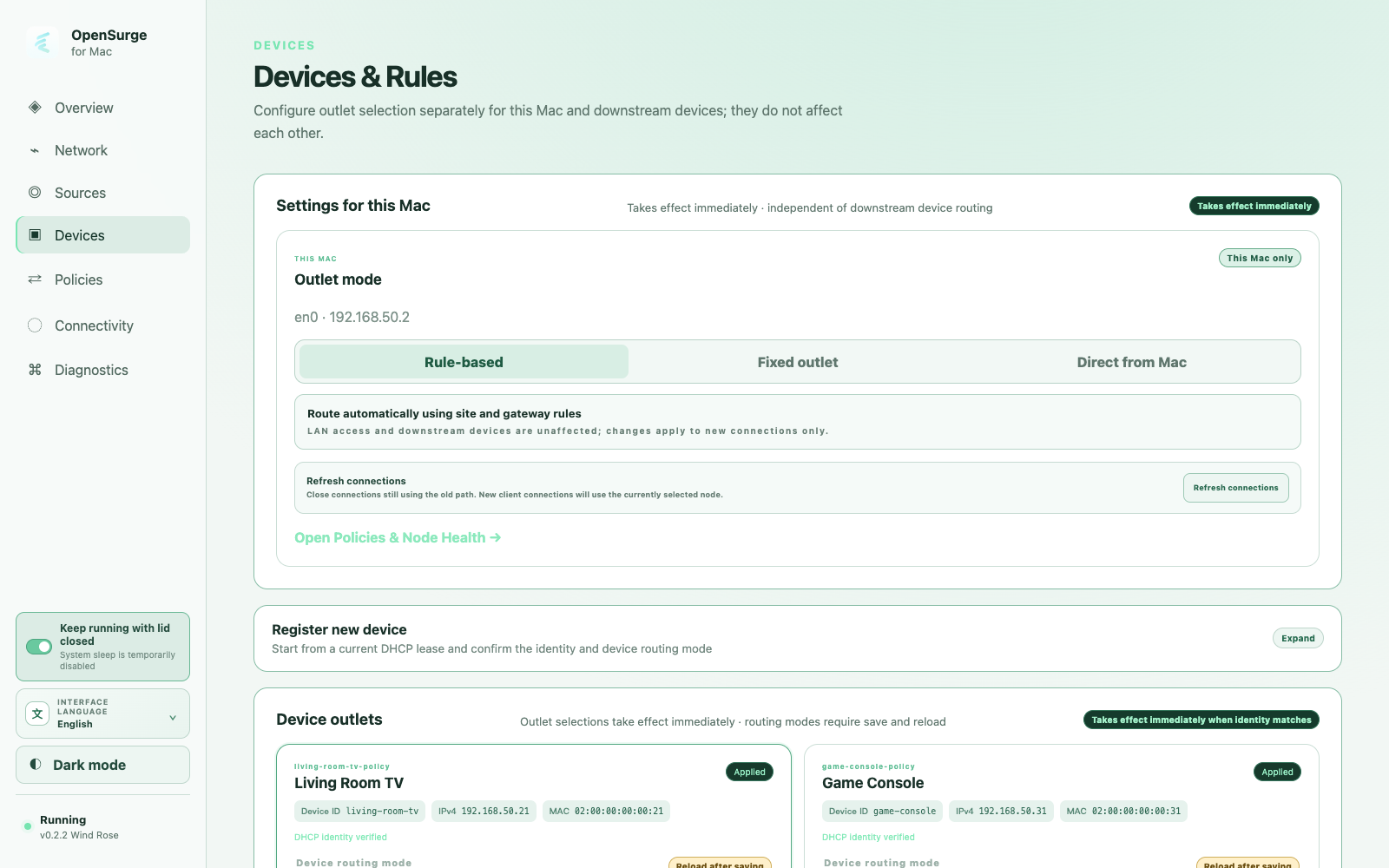
Choose a topology, review the selected configuration, and keep gateway controls explicit.
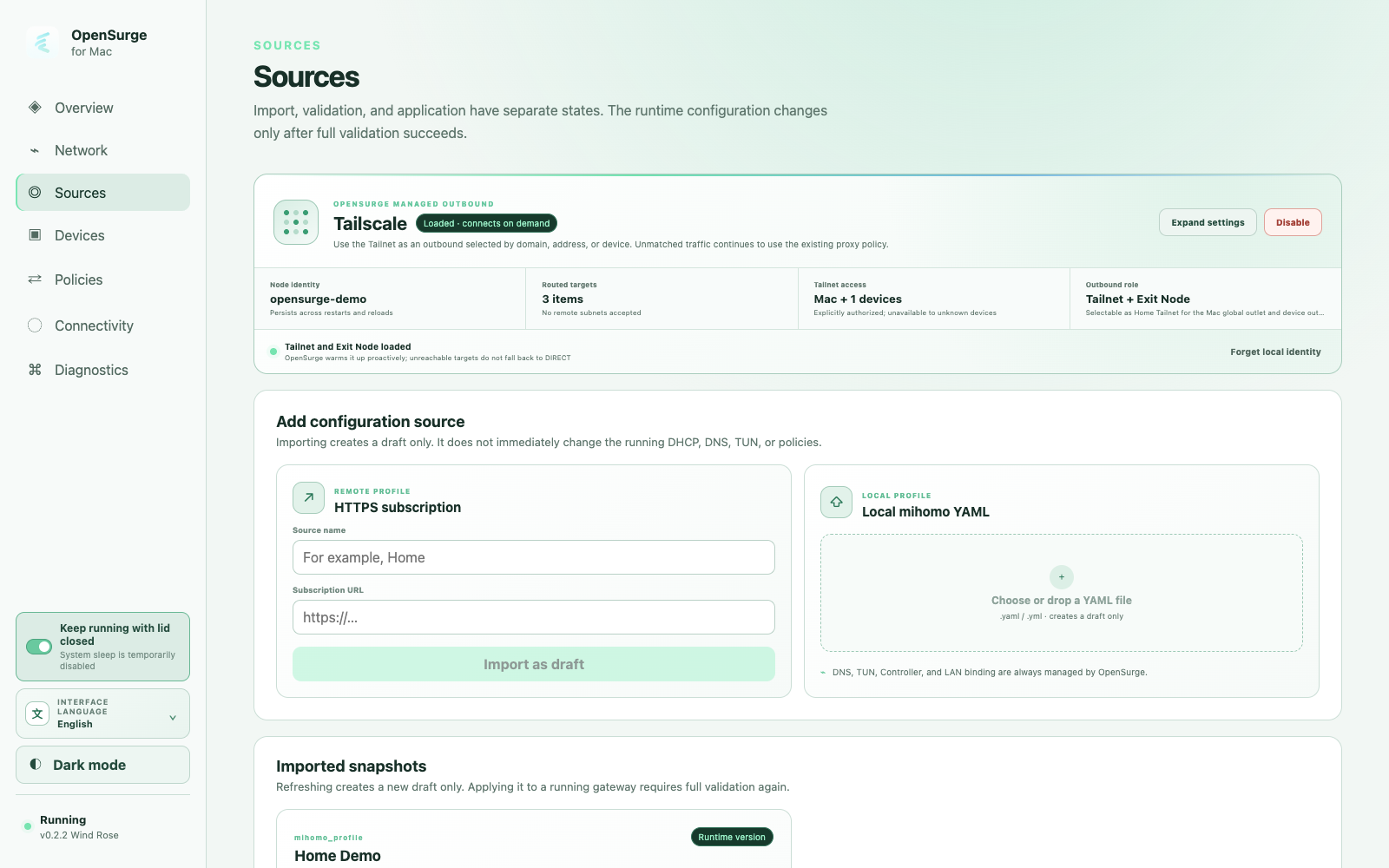
Import a profile or build your own nodes and rules with Global Extension. Preview the result before starting.
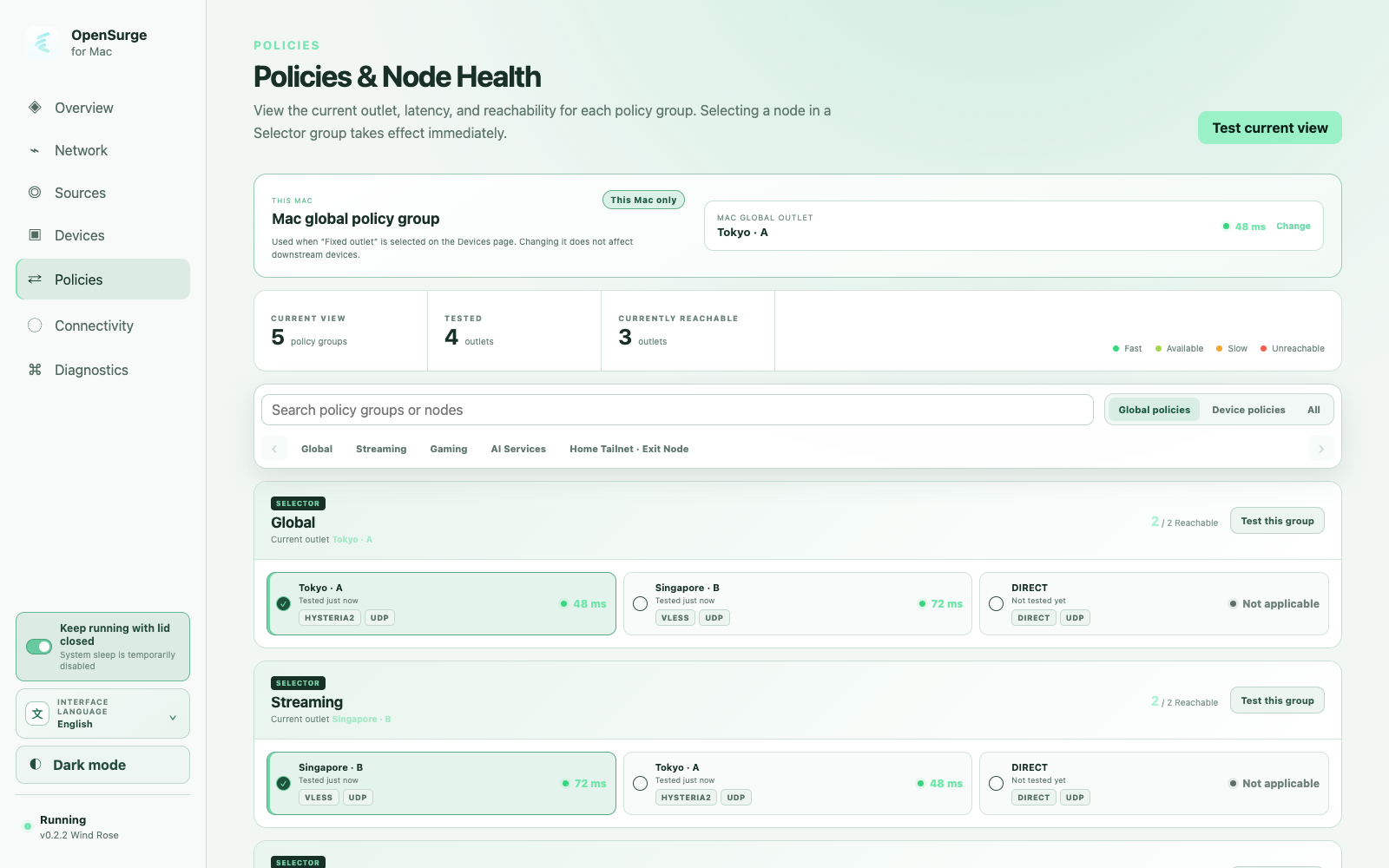
Inspect selectors, latency checks, providers, and the applied policy state.
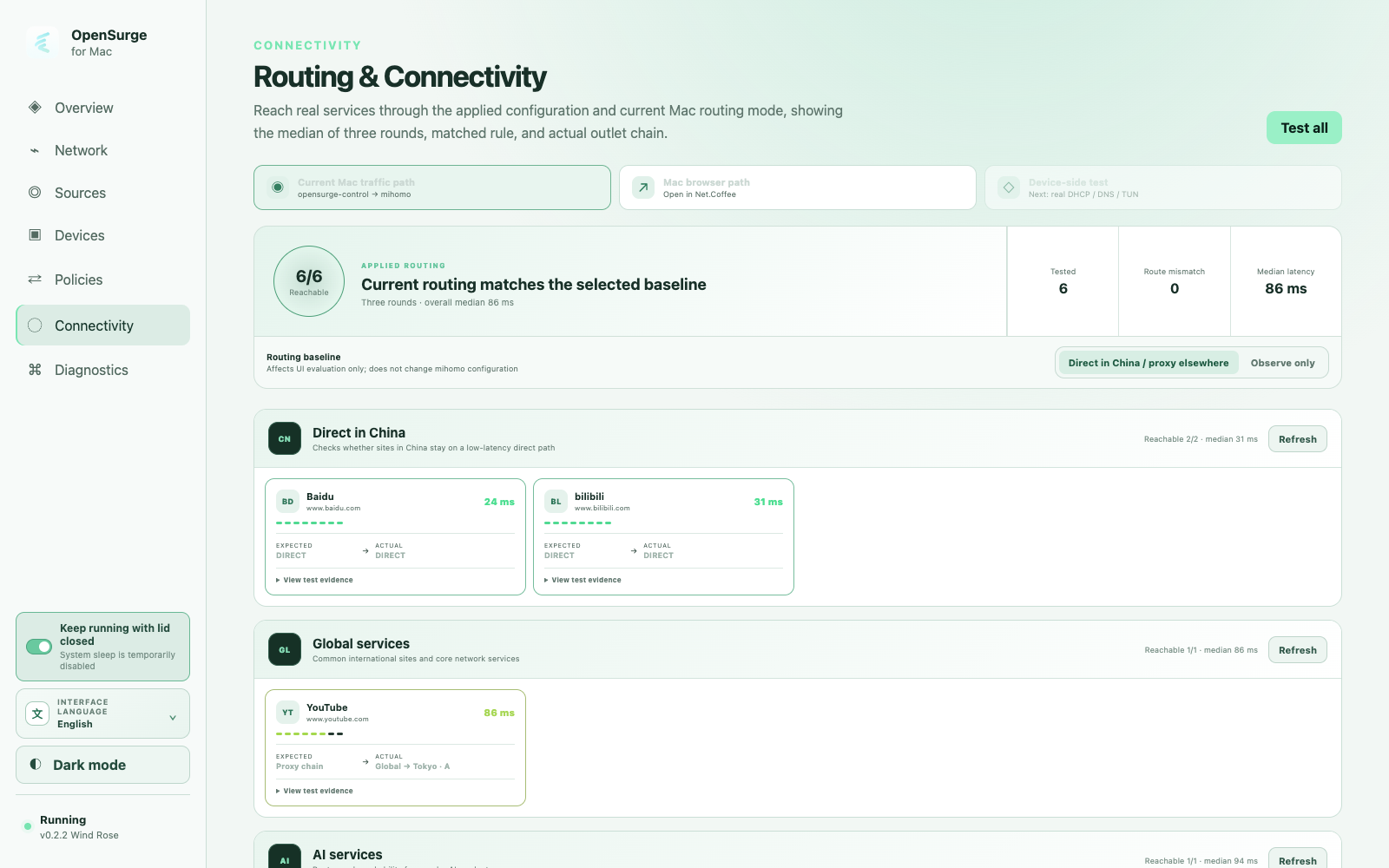
Compare the selected baseline with matched routes and observed outbound chains.
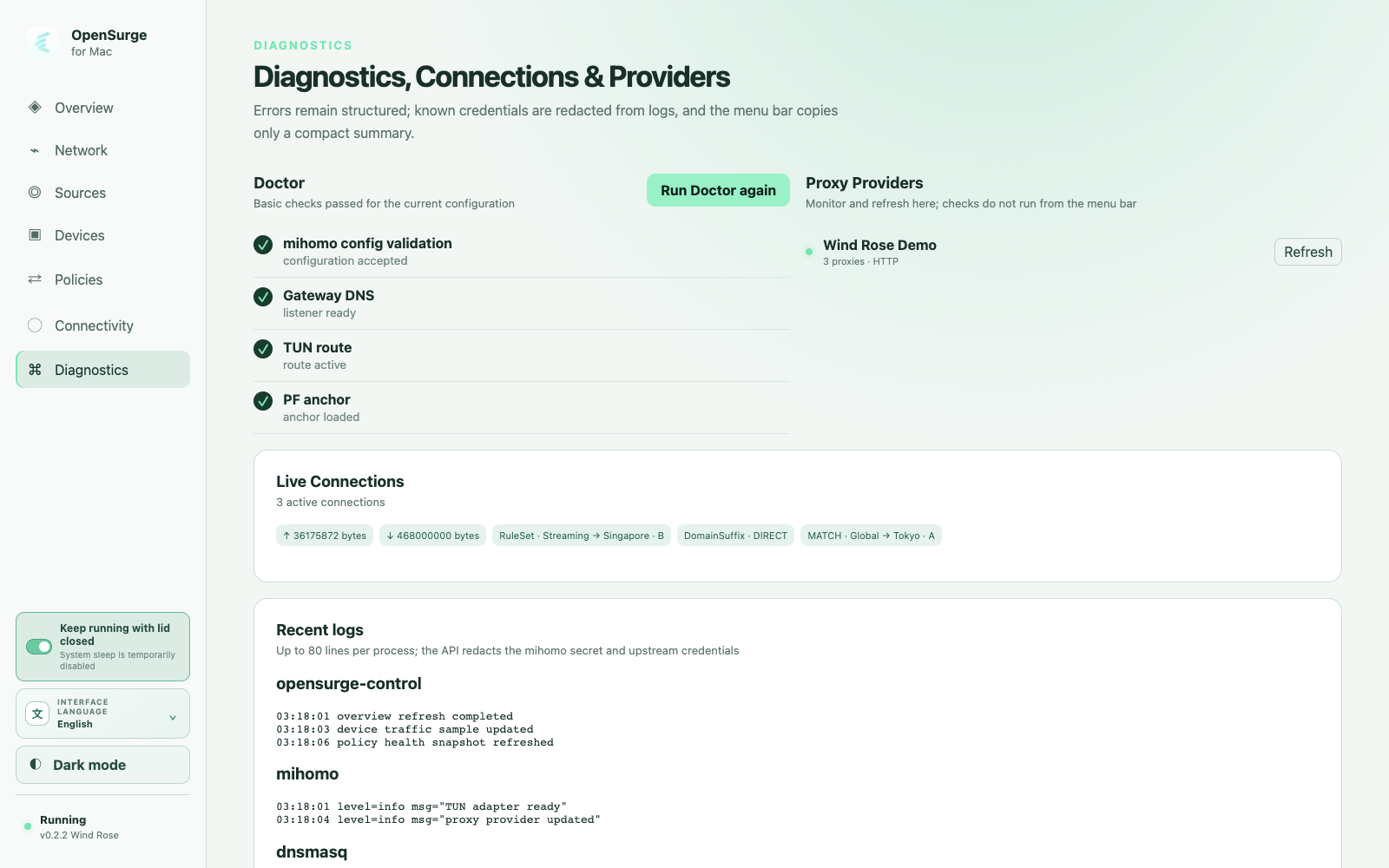
Bring Doctor checks, providers, live connections, recent logs, and operations together.
V0.2.2 · MORE WAYS TO CONNECT
Connect to your Tailnet, or build your own routes without importing a subscription.
Reach private services through a managed Tailscale or Headscale node. Choose a configured remote Exit Node when you need an internet route, too.
Outbound access; the local LAN is not advertised to the Tailnet.Explore Tailscale outbound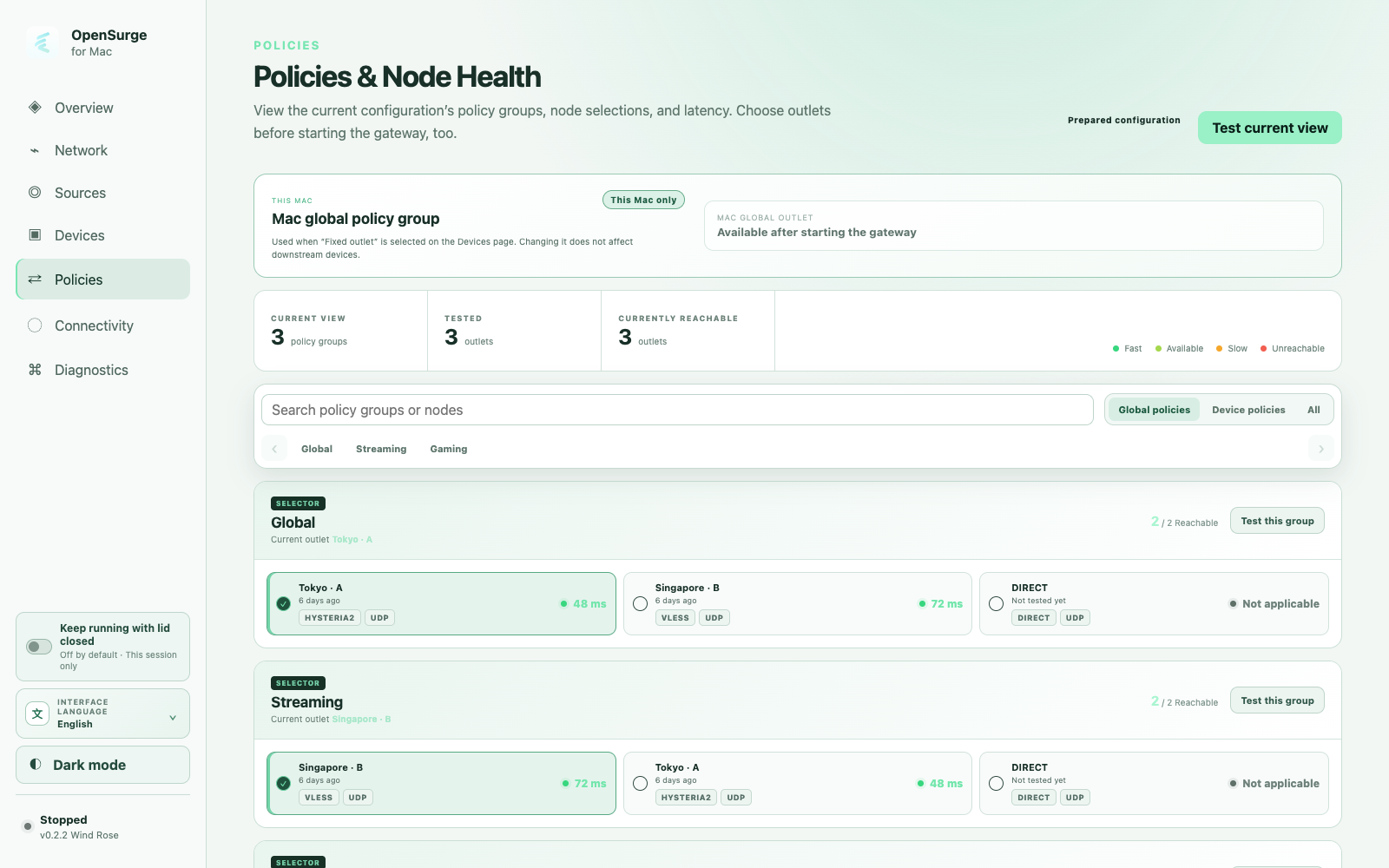
Add nodes, groups and rules through Global Extension. With the gateway stopped, preview the composed policies, select nodes and test latency—no imported subscription required.
Start from the Web GUI to validate and apply the configuration.Build and preview a configurationScreenshots use isolated fictional demo data. Open an image to see it at full size.
ONE ENGINE, DEVICE-SCOPED POLICY
OpenSurge compiles stable device identity into source-scoped mihomo rules. Mac-local mode stays independent, and the connection view shows the outbound chain that traffic actually used.
Read the PS5 gateway guideWIND ROSE · EXPERIMENTAL IPV6
Bring IPv6 connections into the same device rules and outbound choices. Automatic or manual client setup connects to a dedicated macOS packet path, with TCP and UDP forwarding through mihomo.
Explore the IPv6 architecture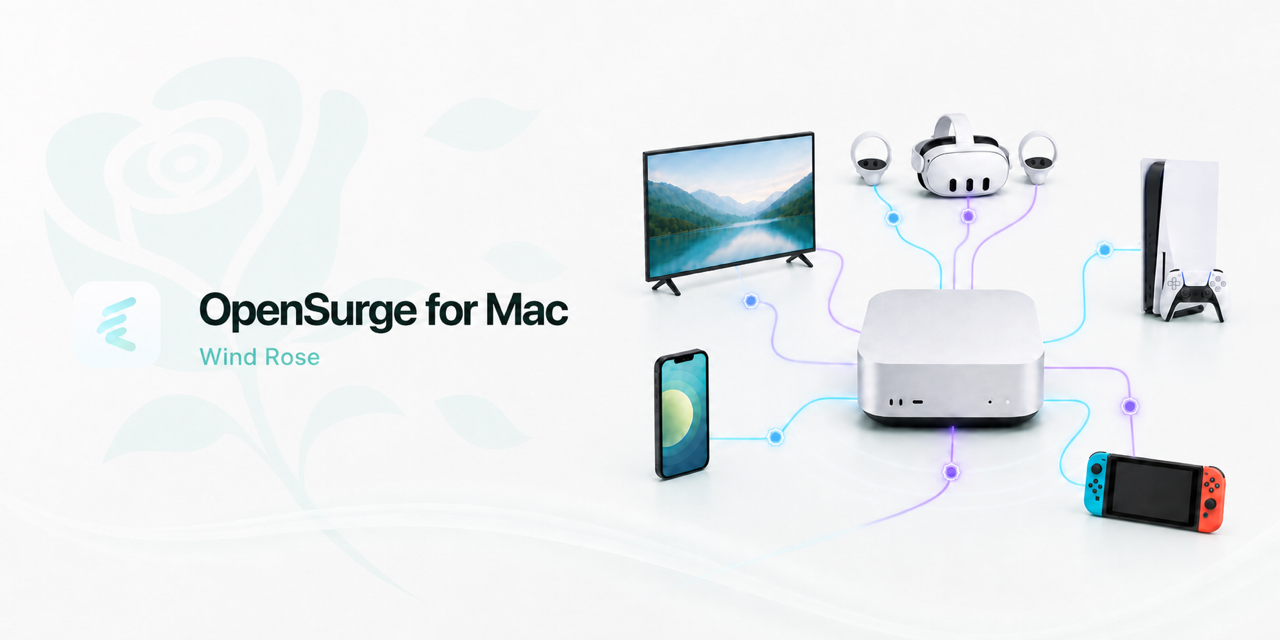
BUILT FOR NETWORKS THAT MUST RECOVER
Unit tests protect business rules. Virtual LAN labs exercise DHCP, DNS, TUN, NAT, rollback, and topology-specific IPv6 paths. Public claims stay bounded by the evidence that was actually collected.
Explore the Virtual Lab designConnect project context, structured diagnostics, and validation gates.
EngineeringA shared environment for routing, policies, IPv6, and Tailscale tests.
GuideOnboard one device without redesigning the LAN.
GuideGive a console its own observable egress.
GuideReuse one service template while choosing each device's exit.
GuideAdd a phone-side HTTP or SOCKS5 path as a mihomo outbound.
GuidePrepare the offline recovery path before automatic onboarding.
DocsSeparate local Rule, Global, and Direct from system-proxy coordination.
DocsPreview your nodes and rules before starting the gateway.
DocsCheck the unsigned package and complete a careful first run.
JournalWhy v0.2 adds a second transparent ingress path.
Start with one device, verify the path, and expand only when the topology is ready.