
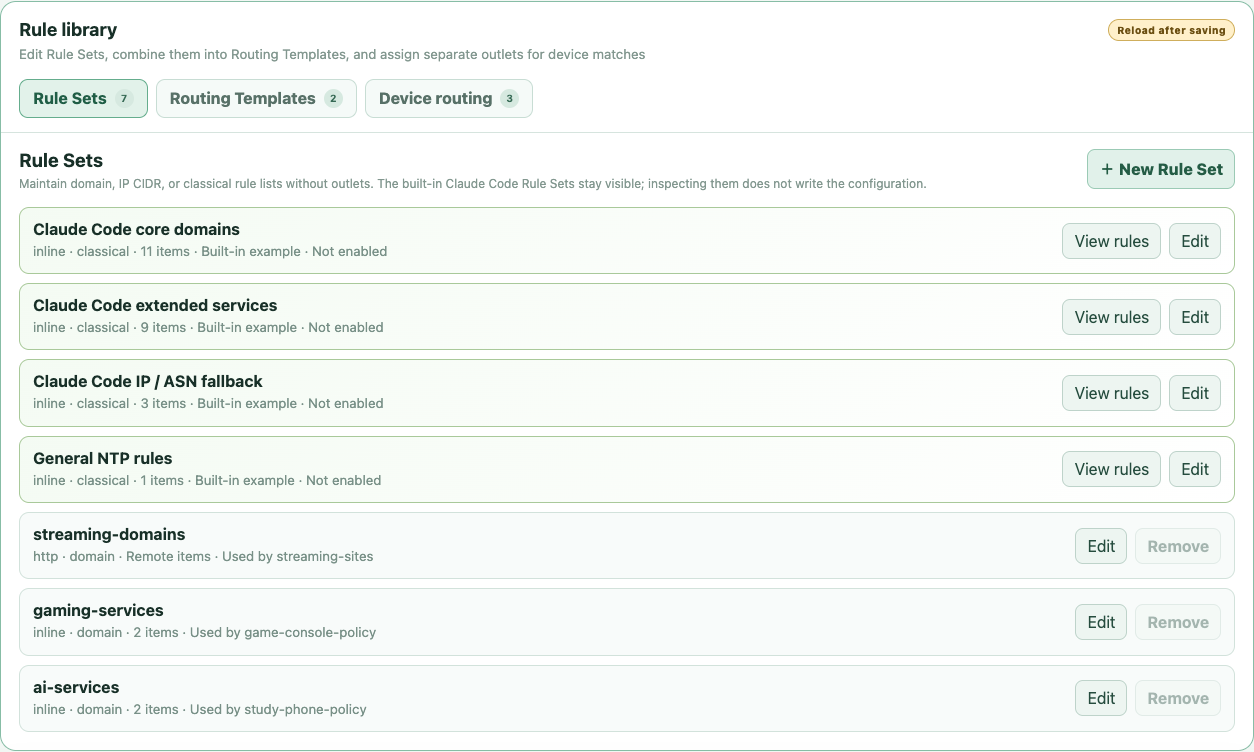
Inspect the community example before using it
Open Devices → Rule library → Routing templates and expand the Claude Code card. The fixed 2026-08-22 snapshot groups core domains, extended services, IP and ASN fallbacks, and a common NTP rule. It is based on the linked Net.Coffee community page, not an official Anthropic rule list.
The example is inactive by default. Viewing it does not write policy, change a selector, or apply it to any device. Service endpoints can change, so treat the source and the visible snapshot as reviewable operator input rather than a permanent completeness guarantee.
Attach the template to one registered device
Register the downstream device with a stable IPv4 identity first. In the Claude Code template card, choose Use for device, select the device, then choose either a fixed egress or an independently switchable selector with one or more existing proxy or group candidates.
Adding the route to the draft installs the four rule sets and the outlet-free claude-code template if they are not already present. Save and reload to apply identity or rule changes. After application, selector changes are immediate, while editing the rule library still requires another save and reload.
- Following gateway rules: Claude matches use the device route; unmatched traffic continues through the imported or managed gateway rules.
- Independent device egress: Claude matches use this route; unmatched public traffic uses the device's default selector.
- The NTP item matches UDP destination port 123 for this device, so verify that the chosen exit supports the intended UDP path.
- Unsupported traffic fails closed by default instead of silently falling through to DIRECT.
Understand the reusable model
Rule sets contain matching material, the routing template contains only ordered rule-set references, and the device route owns the fixed action or selector candidates. The Web GUI manages this document for normal use; the abbreviated JSON below shows the separation without reproducing the full built-in snapshot.
{
  "templates": [
    {
      "id": "claude-code",
      "rule_sets": [
        "claude-code-domains",
        "claude-code-extra",
        "claude-code-network",
        "ntp-common"
      ]
    }
  ],
  "profiles": [
    {
      "id": "work-device-policy",
      "default_policies": ["DIRECT"],
      "rules": [
        {
          "id": "claude-code",
          "match": { "template": "claude-code" },
          "policies": ["Claude-US", "DIRECT"]
        }
      ]
    }
  ]
}
Verify from the downstream device
Start a real Claude Code session on the registered downstream device, then inspect OpenSurge connections for that device. Confirm the expected service connections show the device-scoped Claude route and the selected outbound chain; do not infer the route from a green node-health probe or selector label alone.
Also check unmatched browsing, local services, DNS, and any required UDP behavior. This validates your device, profile, and current community rules; it does not turn the third-party list into an OpenSurge or Anthropic availability guarantee.
FAQ
Questions people ask before changing the network
Does opening the built-in example change my configuration?
No. The example is inspectable and inactive by default. Its rule sets and template enter the draft only when you add a Claude Code route to a device.
Can two devices reuse the template but use different exits?
Yes. The template contains no outlet. Each device route can point the same match template at its own fixed action or selector candidates.
Are these official Anthropic rules?
No. They are a dated snapshot of a linked community source. Review the visible rules and revalidate them when service behavior changes.