
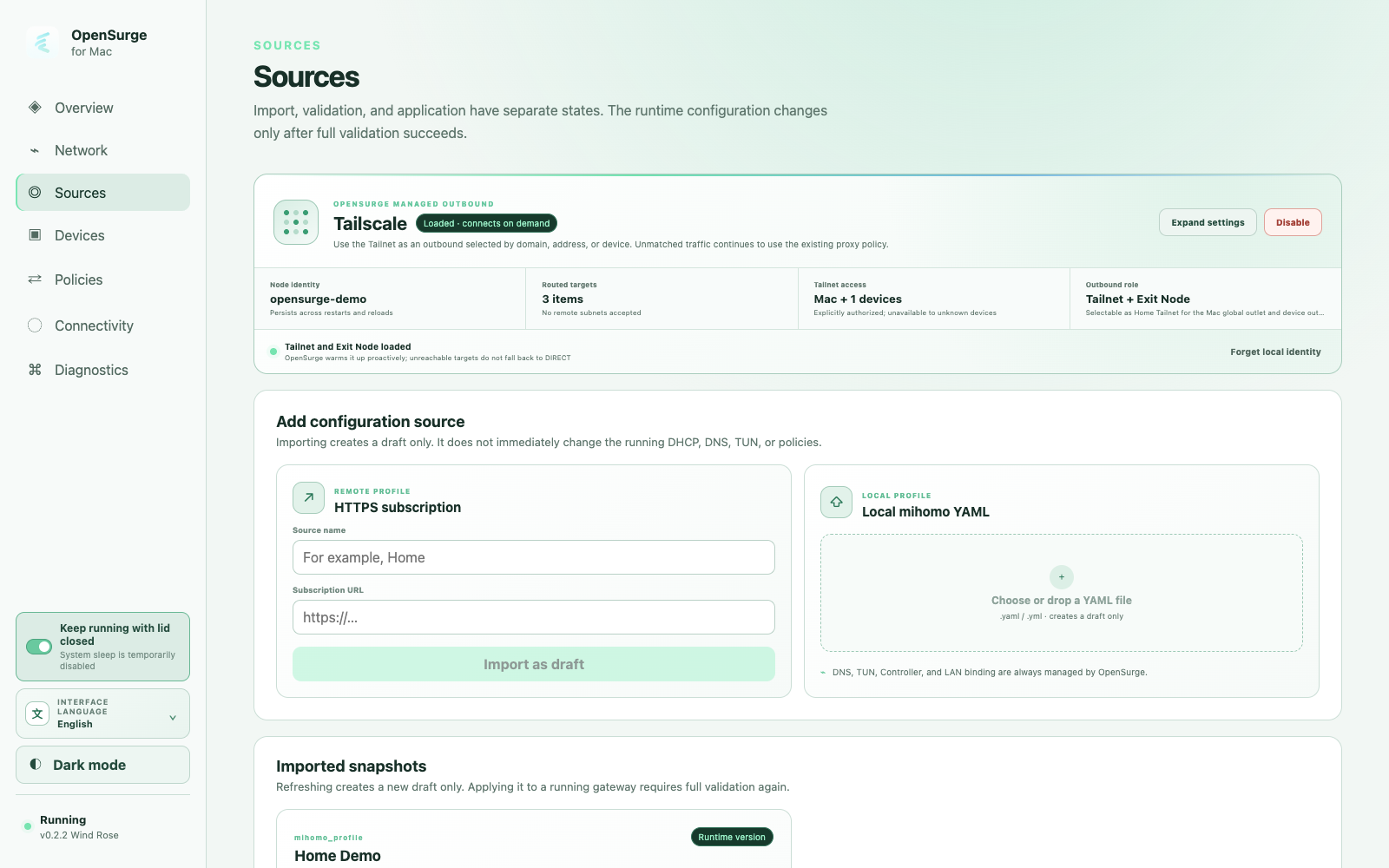
Two roles, two routing decisions
Tailnet access reaches private resources: selected peers, MagicDNS names, or explicitly accepted remote subnets. Authorize the Mac, selected registered devices, or all registered devices for those destinations. Access also depends on your Tailnet policies and the remote service.
An Exit Node provides an internet route. Configure a specific remote Exit Node, then select its exit in the Mac global outlet, a device outlet, or a compatible manual policy group. Enabling the integration alone does not mean every connection uses that exit.
Tailnet destination authorization and public exit selection are separate controls. A shared manual policy group affects all traffic that matches it; the Tailnet device allowlist is not a per-device permission gate for that public exit.
Connect an independent OpenSurge identity
Open Sources and expand the Tailscale settings. Configure the Tailscale or Headscale control server, a node identity and the required authentication. OpenSurge manages its own node identity and keeps it across restarts, reloads and temporary disablement.
The local Tailscale app can supply discovery suggestions for peers, MagicDNS, remote subnets and Exit Nodes. Review those suggestions before applying them; its identity remains separate from the node managed by OpenSurge.
- Choose only the private destinations you need.
- Authorize the Mac and devices that should reach those destinations.
- For remote subnets, configure and approve the route on the remote subnet router as well.
- Configure an Exit Node only when you need it as an internet route.
Start with one device and verify both paths
First give the device a stable source identity and configure it to use OpenSurge as its gateway and DNS. For a small first setup, keep the router DHCP service enabled and manually onboard one device.
Open a permitted private service from that device and inspect the source, destination and outbound chain in OpenSurge. If you also configured an Exit Node, select it for the intended route, create a new internet connection and check the resulting exit separately.
A loaded node or a successful latency check is not proof of the device’s complete path. The first request can need a retry while the managed node connects.
Outbound access with a clear boundary
OpenSurge does not advertise its local LAN to the Tailnet. Devices using this gateway path are not individually enrolled Tailnet nodes, and this feature does not make the whole home network reachable from outside.
Private targets that require Tailnet access do not fall back to DIRECT when unavailable. Resolve local and remote subnet conflicts before applying the configuration; selecting an Exit Node does not resolve overlapping private address ranges.
FAQ
Questions people ask before changing the network
Does each device need the Tailscale app?
No, for this outbound path the device uses OpenSurge as its gateway and DNS. OpenSurge handles the Tailnet connection, subject to the configured destinations, device authorization and Tailnet policies.
Does OpenSurge replace my existing Tailscale app?
It manages a separate node identity. Your local Tailscale app can help discover settings, but its system routes and DNS are separate and may need coordination when they overlap.
Can I reach my entire home LAN from the Tailnet?
This integration does not advertise the local LAN as a subnet route. Its scope is outbound access from the Mac and connected devices to configured Tailnet resources or a remote Exit Node.
Do I need a proxy subscription to use it?
No. Tailscale configuration, imported profiles and Global Extension are independent inputs. You supply the Tailnet access and, when needed, an available remote Exit Node.