
Private services for devices already on your LAN
A TV or console may have no suitable Tailscale client. With OpenSurge, it can use the Mac as its gateway and DNS while the gateway handles the Tailnet connection. Choose the private destinations and authorize the registered devices that should reach them.
Targets can include selected peers, MagicDNS names and approved remote subnet routes. For example, a permitted device can reach a media service on a Tailnet peer; a service elsewhere on that peer’s LAN also needs a configured and approved subnet-router route. Tailnet access policies and the service’s own permissions still apply.
Choose a remote internet exit separately
An Exit Node gives public internet traffic a route through a remote network. After configuring an available remote Exit Node, select it in a device’s outlet, an eligible Mac global outlet, or a compatible manual policy group. This lets the same gateway keep private-service access and public routing choices side by side.
Private-target authorization is distinct from choosing a public exit. A shared manual group affects every connection that matches that group; its Exit Node candidate is not restricted by the private-target device allowlist. Use device-specific outlets when you want separate routing choices for different devices.
A managed identity for Tailscale or Headscale
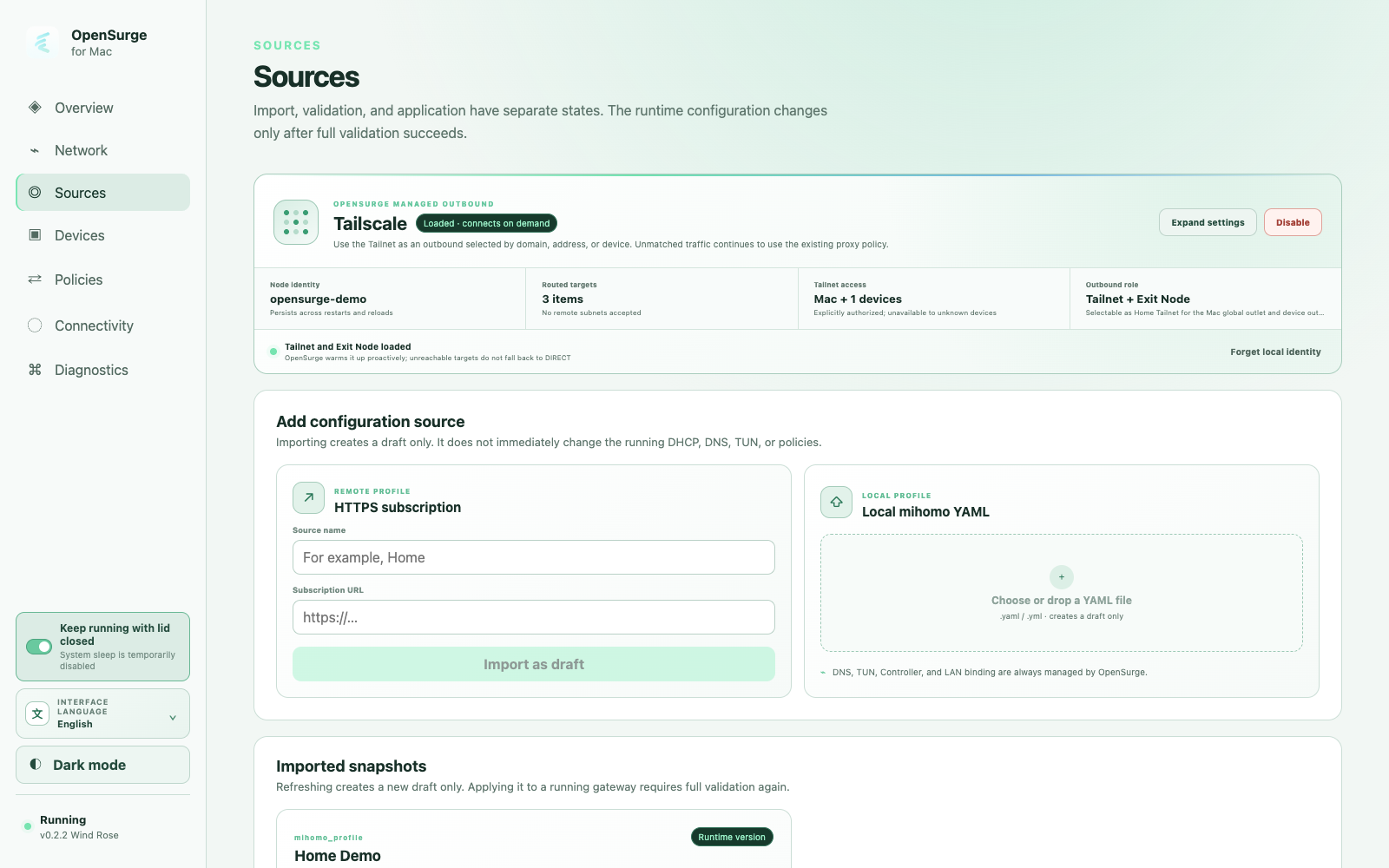
In Sources, expand the Tailscale card and set up the control server, node identity and authentication key. OpenSurge uses an embedded tsnet connection inside mihomo and keeps its node identity across restarts, reloads and temporary disablement. Headscale uses the same integration with your own control-server URL and preauth key.
The local Tailscale app can help discover peers, MagicDNS names, subnet routes and Exit Nodes. Review those suggestions before adding them. OpenSurge registers its own node, so its authorization and state remain separate from the local app. Manual setup is also available when discovery is unavailable.
When a selected remote subnet conflicts with a route held by the local app, resolve that route before starting or applying the gateway. After discovery, disconnecting the local app or adjusting its accepted routes can make room for the OpenSurge connection; the interface shows the detected route and relevant guidance.
Prepare the route before starting the gateway
Tailscale settings, imported profiles and Global Extension are independent configuration inputs. You can begin with Tailnet access alone, or combine it with manually added proxy nodes, policy groups and rules without a subscription.
The stopped-state policy view lets you inspect the composed groups and prepare selections before starting. When an Exit Node is configured, compatible manual select groups can include it alongside their existing candidates. Review the displayed choice, especially for a new group, then start the gateway when the route is ready.
Check private access and the public exit in turn
Start with one registered device using OpenSurge as gateway and DNS. Open an authorized private service and inspect the device, destination and outbound chain. If using an Exit Node, select it for the intended traffic and check a new public connection separately.
The managed node connects on demand, with a warm-up request when the gateway starts or reloads. Give the first business request time to connect and retry if needed. Private-service reachability and a public exit probe answer different questions, so test the services you plan to use.
This integration provides outbound access from the Mac and connected devices. Publishing your home LAN for inbound Tailnet access requires a separate subnet-router setup. If a configured private target becomes unavailable, OpenSurge keeps that traffic on the Tailnet path and rejects it on failure rather than sending it through DIRECT.
Start with a service you already know
Choose one peer and one authorized device first. Once that service works, add remote subnets or an Exit Node as needed. This keeps the configuration easy to understand as the Mac gateway connects more of your local devices to your remote network.
FAQ
Questions people ask before changing the network
Does each connected device become a Tailnet node?
Devices use OpenSurge’s managed connection for the configured outbound access. They do not each register a node or need their own Tailscale app for this path.
Can a remote Mac provide both a subnet route and an Exit Node?
Yes, with both roles configured and approved on the remote side. Select the private subnet route for its LAN services and configure the Exit Node for public traffic, then verify each path.
What if my local and remote LAN use the same IPv4 subnet?
Resolve the address overlap before accepting the route. Tailscale 4via6 mappings are an advanced option when configured and approved on the remote subnet router; the product reference describes that setup.
Is a proxy subscription required?
No. You can configure Tailscale or Headscale independently, using your own Tailnet access and an optional remote Exit Node.